How to Make AI Porn Videos: A Beginner's Guide
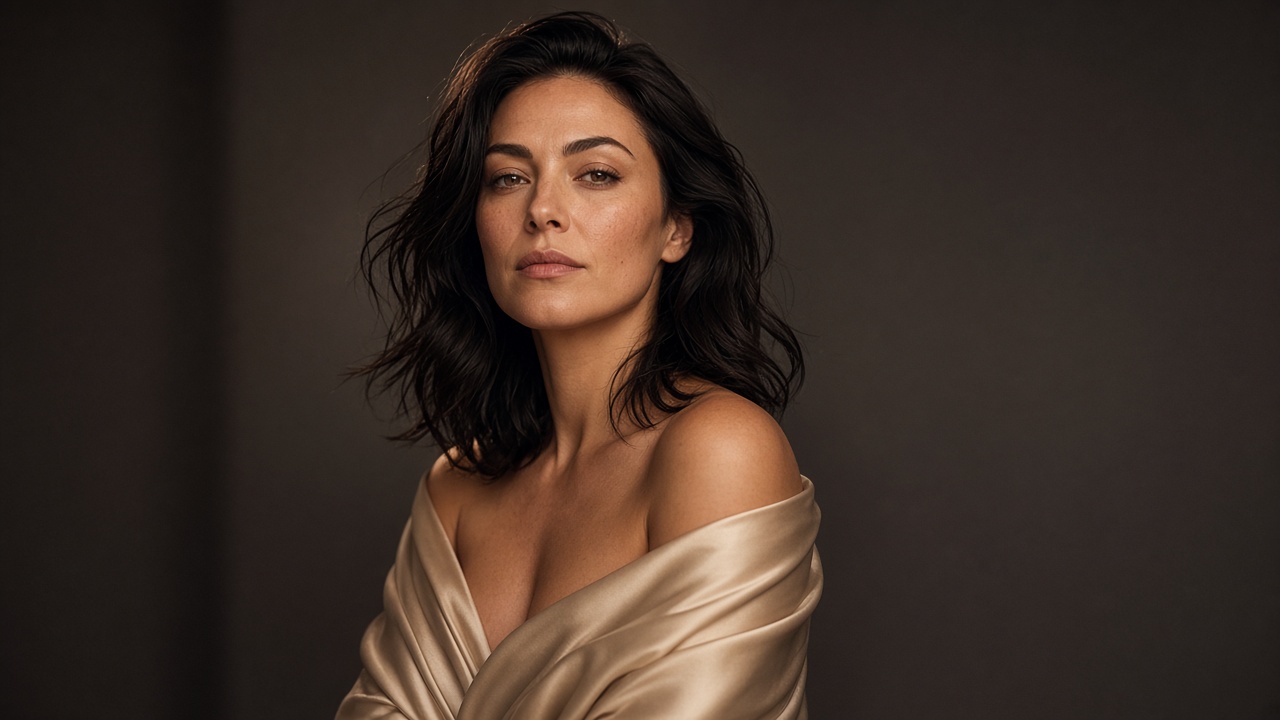
Creating adult videos with AI no longer has to begin with traditional filming or complex video-editing software. Depending on the tool, creators can use written descriptions, existing images, or a combination of both to develop short AI-generated video sequences.
If you're wondering how to make AI porn videos, the process begins with choosing an appropriate generation method, preparing your creative inputs, and refining the results.
This beginner's guide explains the essential steps, from selecting a porn AI video generator to writing effective prompts, improving motion, and evaluating the finished output.
The focus is on fictional adults and content you have the rights and consent to use.
What Are AI Porn Videos?
AI porn videos are adult-oriented video sequences created or modified using artificial intelligence.
Instead of relying entirely on conventional filming, AI systems can generate visual content from text descriptions, animate existing images, or transform permitted source material into short video clips.
The exact capabilities depend on the platform. Some tools focus on image generation, others specialize in animation, and some offer multiple creation workflows.
For beginners, two approaches are particularly relevant:
- Text-to-video: Generate a video from a written description, where supported.
- Image-to-video: Start with an existing image and use AI to introduce motion.
Understanding this distinction makes it easier to select the right workflow for your project.
How to Make AI Porn Videos: Step-by-Step
The beginner workflow
- Choose a generator. Select a tool that supports your intended creation method and permits the content you want to produce.
- Choose text-to-video or image-to-video. Decide whether to begin with a written concept or an authorized source image.
- Prepare creative inputs. Decide on the scene, visual style, composition, and source material.
- Write a prompt. Describe the subject, setting, camera movement, and desired animation.
- Generate the first video. Use the tool's available generation settings and review the first result.
- Review and refine. Adjust the prompt, source image, or motion instructions to address specific problems.
- Review before exporting. Check visual quality, consent, usage rights, and the platform's export options.
Let's examine each step in more detail.
Step 1: Choose a Porn AI Video Generator
The first step in learning how to make AI porn videos is choosing a platform that matches your intended workflow.
A porn AI video generator may offer text-based generation, image animation, or other creative features. However, not every platform supports the same inputs, output formats, or content categories.
Before choosing a tool, consider the following:
| Feature | Why it matters |
|---|---|
| Input method | Determines whether you start with text, images, or another supported format |
| Motion controls | Helps guide movement and camera behavior |
| Visual consistency | Affects whether subjects and backgrounds remain stable |
| Output options | Determines available resolution, duration, and export formats |
| Content policies | Clarifies what material the platform permits |
| Privacy and rights | Helps you understand how uploaded material may be handled |
If your goal is to explore a dedicated creation workflow, start with SpicyLab's AI porn generator.
Review the available features and platform policies before beginning, rather than assuming that every generator supports the same functionality.
Step 2: Decide Between Text-to-Video and Image-to-Video
Your starting material influences the amount of creative control you have.
Text-to-video
Text-to-video begins with a written description. Where supported, the AI interprets that description to generate a scene and its movement.
This approach can be useful when you have an idea but no existing visual reference.
However, results may vary because the model must interpret the subject, environment, composition, and motion from the prompt.
Image-to-video
Image-to-video begins with a visual reference.
The AI uses that image as the starting point and attempts to introduce movement while preserving the original composition.
This approach may be preferable when you already have a suitable image and want greater continuity in the subject's appearance or the scene's visual style.
For an image-first workflow, explore SpicyLab's NSFW image-to-video tool.
For a more specific walkthrough of animating a single authorized photo, see our photo-to-video tutorial.
Which should you choose?
If you want to develop a scene from an idea, investigate text-to-video tools.
If you already have an image that establishes the appearance and composition you want, image-to-video may provide a more practical starting point.
Choose according to the features actually available in your selected generator.
Step 3: Prepare Your Creative Inputs
Before generating anything, decide what the finished video should communicate visually.
A useful creative plan includes:
- The appearance and styling of fictional adult subjects.
- The environment and background.
- The camera angle and framing.
- The type and amount of movement.
- The overall visual style.
- The desired length, if the tool provides duration controls.
For example, you might plan a cinematic portrait of a fictional adult character in a softly lit studio, with subtle movement and a slow camera push-in.
This gives the AI a clear visual direction without overloading the prompt.
If you are uploading an image, use material you own or are authorized to use. Do not upload someone else's intimate imagery or create sexual depictions of identifiable people without their explicit consent.
Step 4: Write an Effective AI Video Prompt
Prompt writing is one of the most important skills when learning how to make AI porn videos.
A useful prompt communicates the desired visual result clearly. It does not need to be excessively long.
A practical structure is:
Subject + setting + action or motion + camera direction + visual style
For example:
Example prompt
"A fictional adult character in a softly lit studio, natural facial expression, subtle head movement, gentle camera push-in, cinematic lighting, realistic motion, consistent appearance."
This example establishes the subject, setting, movement, and visual treatment.
For image-to-video generation, focus especially on motion instructions because the source image already defines much of the scene.
A useful image-to-video prompt might specify:
- Gentle subject movement.
- A slow camera movement.
- Stable facial features.
- Consistent background details.
- Natural lighting transitions.
Avoid asking for too many unrelated actions in one short sequence.
For more detailed examples and prompt-writing techniques, read our AI porn prompts guide.
Step 5: Generate Your First Video
Once your inputs are ready, begin the generation process using your selected tool.
The exact interface will vary, but the general workflow is straightforward:
- Open the appropriate generator.
- Enter your prompt or upload an authorized source image.
- Select any relevant settings that the platform makes available.
- Start generation.
- Wait for the result and review the output.
Treat the first generation as a draft.
Even a carefully written prompt may produce unexpected motion, visual inconsistencies, or a composition that differs from your original idea.
The goal of the first attempt is to identify what works and what needs improvement.
Step 6: Review and Refine the Result
Generating an initial clip is only part of the process.
Review the output carefully before deciding whether to keep it.
Pay attention to the following areas:
| Quality check | What to look for |
|---|---|
| Subject consistency | Does the subject's appearance remain stable? |
| Motion | Does the movement look natural and match the prompt? |
| Background | Are objects and environmental details consistent? |
| Camera | Does the framing support the intended scene? |
| Visual artifacts | Are there distortions, flickering, or unexpected changes? |
| Overall result | Does the video match the original creative objective? |
If the result is unsatisfactory, change one important variable at a time.
For example, if the camera movement is too aggressive, simplify the camera instructions rather than rewriting the entire prompt.
If the subject changes appearance during animation, try reducing the amount of movement or using a clearer source image.
A controlled revision process makes it easier to identify which changes improve the output.
Step 7: Review the Final Video Before Exporting
Once you're satisfied with the visual result, perform a final review.
Confirm that:
- Every depicted person is clearly an adult.
- Any real person's likeness or source material is used with appropriate consent and rights.
- The video complies with the platform's policies.
- The output does not contain obvious visual errors.
- The available export format meets your intended use.
If you plan to publish or distribute the video, also review the destination platform's rules regarding synthetic adult media, disclosure, copyright, and consent.
Export options depend on the generator, so check the settings actually available in your account.
Tips for Creating Better AI Porn Videos
Once you understand the basic workflow, a few practical adjustments can improve consistency and reduce unnecessary trial and error.
Keep Your Prompts Focused
A prompt that requests several unrelated movements can be difficult for a model to interpret.
Start with one primary action and one camera direction.
For example, a slow camera movement combined with subtle subject motion is easier to evaluate than a sequence requesting multiple scene changes.
Use Clear Source Images
For image-to-video generation, the source image establishes much of the visual information.
Choose an image with clear subject boundaries, coherent lighting, and a composition that supports the intended movement.
Avoid starting with an image that already contains severe distortions.
Prioritize Natural Motion
More movement does not automatically produce a better video.
Subtle, deliberate animation can be more visually consistent than exaggerated movement, particularly when the source image provides limited information about the scene.
Change One Variable at a Time
When refining a video, modify one aspect of the prompt or settings and compare the result.
This helps you determine whether a change actually improved the output.
Match the Tool to the Task
A generator designed primarily for image animation may not be appropriate for someone who wants to create an entire scene from text.
Explore the available workflows before committing to one method.
SpicyLab's NSFW AI tools page can serve as a starting point for exploring its different generation options.
Common Problems When Making AI Porn Videos
Beginners may encounter several recurring issues.
The Video Doesn't Follow the Prompt
Possible cause: The prompt includes conflicting instructions or too many actions.
What to try: Simplify the description and emphasize the most important movement.
The Subject Changes Appearance
Possible cause: The generation process struggles to maintain visual consistency during motion.
What to try: Use a clearer reference image, reduce movement, or simplify the scene.
The Motion Looks Unnatural
Possible cause: The requested action is too complex for the model or the source image.
What to try: Request smaller movements and avoid combining multiple actions.
The Background Flickers or Changes
Possible cause: The model generates inconsistent environmental details across frames.
What to try: Simplify camera movement and use a source image with a clear, stable background.
The Result Doesn't Match Your Original Idea
Possible cause: The prompt leaves important visual details open to interpretation.
What to try: Specify the setting, composition, lighting, and intended motion more clearly.
These adjustments are general troubleshooting techniques, not guarantees that every generator will produce a particular result.
Frequently Asked Questions
How do you make AI porn videos as a beginner?
Start by choosing a generator that supports your intended workflow. Prepare a prompt or authorized source image, generate an initial clip, review the result, and refine the instructions until the output meets your creative goals.
Do you need editing experience to make AI porn videos?
Not necessarily. Some AI generation workflows reduce the need for traditional editing skills. However, understanding composition, prompt writing, motion, and quality control can improve the results.
What is a porn AI video generator?
A porn AI video generator is a tool designed to create or animate adult-oriented video content using artificial intelligence. Features vary by platform, including supported inputs, motion controls, and output options.
Is image-to-video better than text-to-video?
Neither method is universally better. Image-to-video can be useful when you already have a visual reference, while text-to-video may be more appropriate when you want to develop a scene from a written concept. Availability and results depend on the tool.
Why do AI-generated videos sometimes look unnatural?
AI-generated motion can introduce inconsistencies in subject appearance, backgrounds, lighting, and movement. Clear prompts, suitable source images, and controlled revisions may help reduce these problems.
Can you use someone else's photo to create an adult AI video?
You should not create sexualized depictions of identifiable people without their explicit consent. Use fictional adult characters or source material for which you have the necessary rights and permissions.
Final Thoughts: Start With a Simple Workflow
Learning how to make AI porn videos is easier when you approach the process one step at a time.
Choose a suitable generator, establish a clear visual concept, write focused prompts, and treat the first result as an opportunity to refine your approach.
You don't need to begin with a complicated scene. Start with a straightforward concept, evaluate the motion and visual consistency, and build your skills through controlled adjustments.
The most useful workflow is one that matches your creative goals, respects consent and usage rights, and gives you enough control to improve the final result.
Ready to create your own AI porn video?
Pick a template, upload a photo, and get your video in seconds.
Browse Templates